> ## Documentation Index
> Fetch the complete documentation index at: https://docs.logical.io/llms.txt
> Use this file to discover all available pages before exploring further.
# Meetings
> Real-time meeting transcription, meeting insights including key-events, summary & action items across all platforms while Logical don't need to join your meeting.
## Overview
Whether you're using Zoom, Microsoft Teams, Google Meet, Slack Huddles, or any other video conferencing platform, Logical seamlessly integrates to capture, transcribe, and analyze your meetings in real-time.
Works with Zoom, Microsoft Teams, Google Meet, Slack Huddles, Webex, and web-based meetings
Apart from transcription, key-events, summary and action-items could be identified in real-time.\
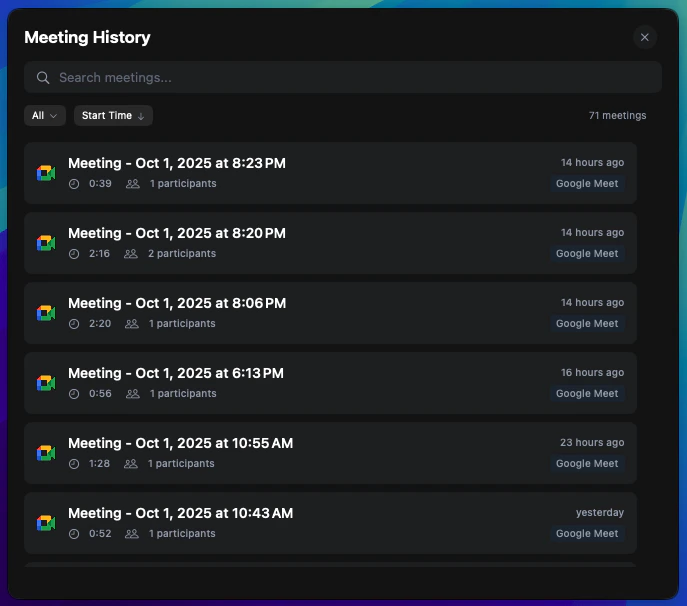
They can be accessed later via meeting history.
You don't have to configure anything. Also Logical doesn't need to join your meetings.\
It is built to remove all your burden.
For the best meeting experience, we recommend using headphones. This helps Logical better distinguish between different audio sources and provides more accurate transcription results.
## Key Features
### Intelligent Meeting Detection
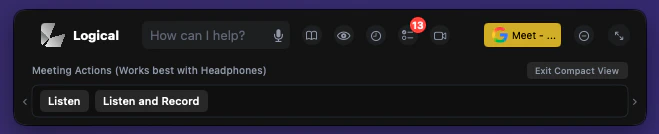
Logical continuously monitors your applications and detects when you're about to join any meeting across all supported platforms. As the meeting feature works best with headphones it hints to use them.
 ### Recording Consent & Options
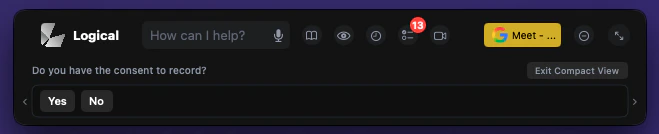
When you choose to record a meeting, Logical ensures you have proper consent and provides clear recording options.
### Recording Consent & Options
When you choose to record a meeting, Logical ensures you have proper consent and provides clear recording options.
 ### Meeting View Interface
When a meeting is active, Logical displays a comprehensive meeting view with four organized tabs for easy navigation and management.
### Meeting View Interface
When a meeting is active, Logical displays a comprehensive meeting view with four organized tabs for easy navigation and management.
 ### Realtime Insights
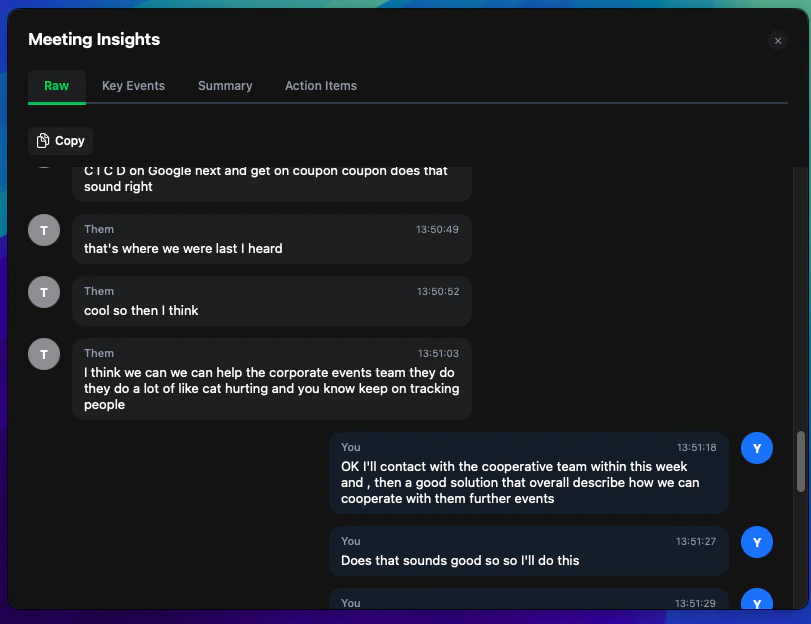
View the complete, real-time transcription of your meeting as it happens, with speaker identification and timestamps.
### Realtime Insights
View the complete, real-time transcription of your meeting as it happens, with speaker identification and timestamps.
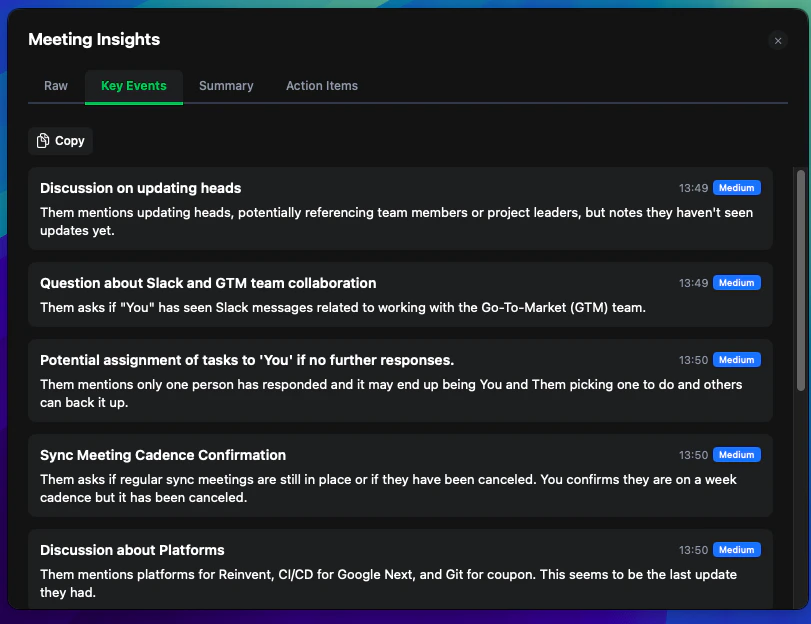
 Automatically identified important moments, decisions, and highlights from your meeting for quick reference.
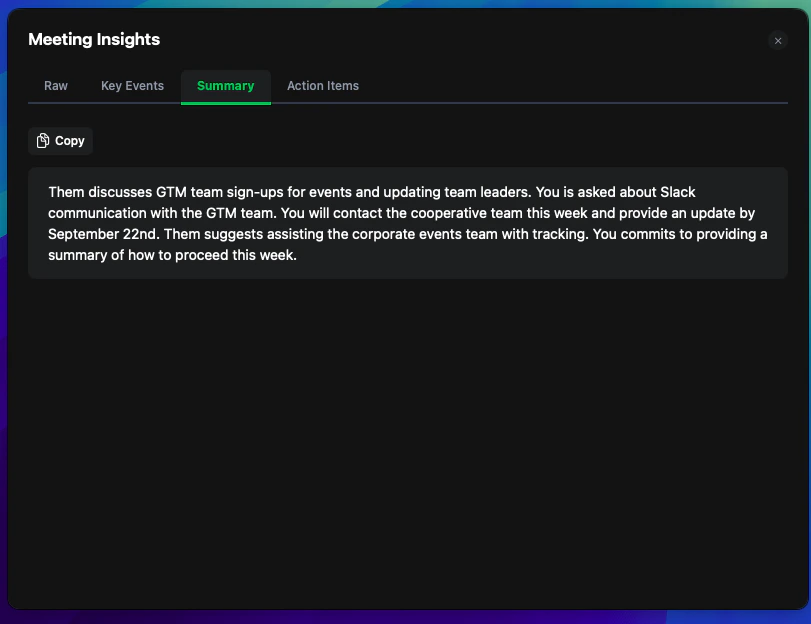
 Get an intelligent summary of your meeting with key points, decisions, and outcomes automatically generated.
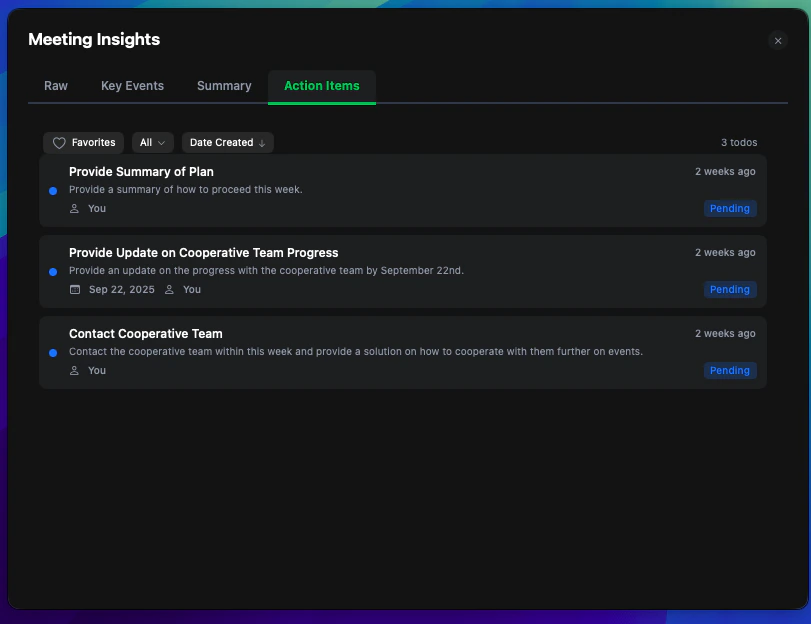
 Track and manage action items identified during the meeting with assigned responsibilities and deadlines.
 ### Meeting History
Access and review all your past meetings through an intuitive history interface that allows you to explore previous meeting insights and data.
### Meeting History
Access and review all your past meetings through an intuitive history interface that allows you to explore previous meeting insights and data.
 ## Privacy & Security
### Data Handling
* **Storage**: Meeting data is stored securely in your device.
* **User Control**: You can delete meeting data at any time
### Permissions Required
* **Microphone Access**: For capturing your voice and local audio
* **Screen Recording**: For detecting meeting applications and windows
* **Speech Recognition**: For processing audio into text
## Privacy & Security
### Data Handling
* **Storage**: Meeting data is stored securely in your device.
* **User Control**: You can delete meeting data at any time
### Permissions Required
* **Microphone Access**: For capturing your voice and local audio
* **Screen Recording**: For detecting meeting applications and windows
* **Speech Recognition**: For processing audio into text